



Optimize MySQL & Apache on cPanel/WHM Servers for Peak Performance
Optimizing your server’s performance is crucial, especially when using cPanel/WHM, a popular hosting control panel. This article focuses on optimizing two key components: MySQL (the database server) and Apache (the web server). Properly configuring these services can significantly improve website speed, reduce server load, and enhance overall stability.
Why Optimize MySQL & Apache?
cPanel/WHM servers often host multiple websites, each with its own database and traffic patterns. Without proper optimization, these resources can become bottlenecks, leading to slow loading times, server overload, and even crashes. Optimizing MySQL and Apache allows you to:
- Improve Website Speed: Faster loading times lead to better user experience and SEO rankings.
- Reduce Server Load: Minimize CPU and memory usage, allowing your server to handle more traffic.
- Increase Concurrency: Handle more simultaneous website visitors efficiently.
- Enhance Stability: Prevent server crashes and improve overall system stability.
- Improve SEO: Faster websites are favored by search engines.
Optimizing MySQL on cPanel/WHM:
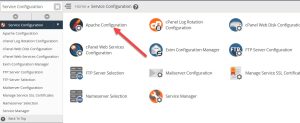
MySQL is the most commonly used database server on cPanel/WHM. Here’s how to optimize it:
-
Optimize my.cnf Configuration: This is the most crucial step. The
my.cnffile (ormy.inion Windows) controls MySQL’s behavior. Key parameters to adjust include:innodb_buffer_pool_size: Allocate 50-75% of your server’s RAM to this. Never exceed physical memory.innodb_log_file_size&innodb_log_files_in_group: Adjust for write-heavy workloads. A starting point is 25% ofinnodb_buffer_pool_sizeforinnodb_log_file_size, andinnodb_log_files_in_group = 2.innodb_flush_log_at_trx_commit: Set to1for data integrity (recommended for most cPanel servers).2offers a balance between performance and safety. Avoid0on production.innodb_flush_method:O_DIRECTis usually best for SSDs. Testfdatasyncif you’re not using SSDs.max_connections: Set according to server resources and expected traffic. Monitor server load.table_open_cache: Increase this to prevent frequent table opening/closing.- Remove
query_cache_size: This is deprecated in MySQL 8.
-
Enable Slow Query Log: Identify slow-performing queries by enabling the slow query log in
my.cnf:slow_query_log = 1 slow_query_log_file = /var/lib/mysql/slow-query.log long_query_time = 2 log_queries_not_using_indexes = 1 -
Use MySQLTuner: This Perl script provides optimization recommendations based on your server’s configuration and usage.
-
Percona Toolkit & PMM: These tools offer advanced MySQL administration and performance monitoring capabilities.
-
Optimize Database Schema: Ensure proper indexing and avoid data redundancy.
-
Optimize SQL Queries: Use
EXPLAINto analyze query execution plans. -
Regular Maintenance: Optimize tables, check for errors, and perform regular backups.
Optimizing Apache on cPanel/WHM:
Apache is the default web server in cPanel/WHM. Here’s how to optimize it:
-
MPM (Multi-Processing Modules): Choose the appropriate MPM based on your server resources and traffic:
- Prefork (Older, less efficient): Uses multiple processes. Suitable for debugging or low-traffic sites. Not recommended for high-traffic servers.
- Worker (Thread-based): Uses multiple threads within processes. More efficient than Prefork.
- Event (Asynchronous): Handles keep-alive connections more efficiently. Generally recommended for most cPanel servers.
You can configure MPM in WHM’s EasyApache 4.
-
KeepAlive: Enable KeepAlive to allow persistent connections, reducing overhead:
KeepAlive On MaxKeepAliveRequests 100 KeepAliveTimeout 5 -
mod_deflate (Compression): Enable compression to reduce file sizes and improve transfer speeds:
<ifModule mod_deflate.c> AddOutputFilterByType DEFLATE text/html text/plain text/xml application/xml application/xhtml+xml application/rss+xml application/javascript application/x-javascript </ifModule> -
mod_expires (Caching): Configure browser caching to reduce server load:
<IfModule mod_expires.c> ExpiresActive On ExpiresByType image/jpg "access plus 1 year" ExpiresByType image/jpeg "access plus 1 year" ExpiresByType image/png "access plus 1 year" ExpiresByType image/gif "access plus 1 year" ExpiresByType text/css "access plus 1 month" ExpiresByType application/javascript "access plus 1 month" ExpiresByType text/html "access plus 1 hour" </IfModule> -
.htaccess Optimization: Use
.htaccessfiles to optimize per-directory settings, such as enabling compression and caching. -
EasyApache 4: Use EasyApache 4 in WHM to easily manage Apache modules and configurations.
-
Resource Limits: Set appropriate resource limits for each cPanel account to prevent resource hogging.
cPanel/WHM Specific Optimizations:
- CloudLinux: If using CloudLinux, CageFS and LVE can isolate resources and prevent one account from impacting others.
- LiteSpeed Web Server: Consider switching to LiteSpeed, a drop-in replacement for Apache that often offers significant performance improvements.
Monitoring and Testing:
- Apache Status: Use
apachectl -statusto monitor Apache’s performance. - MySQL Status: Use
mysqladmin extended-statusorSHOW ENGINE INNODB STATUS;to monitor MySQL. - WebPageTest, GTmetrix, PageSpeed Insights: Use these tools to test website loading times and identify areas for improvement.
Conclusion:
Optimizing MySQL and Apache on cPanel/WHM servers is a continuous process. By carefully configuring these services and monitoring their performance, you can significantly improve website speed, reduce server load, and enhance overall stability. Remember to test all changes thoroughly in a non-production environment first. Using relevant keywords like “MySQL optimization,” “Apache optimization,” “cPanel,” “WHM,” “website speed,” “server performance,” and “web hosting” will help with SEO.
Recent Posts
 How to Set Up a SMTP Relay with cPanelFebruary 26, 2025
 Optimize MySQL & Apache on cPanel/WHM ServerJanuary 26, 2025
 Optimized cnf Configuration MySQL 8 ( cPanel/WHM )January 26, 2025
 How to Set Up an SMTP A Comprehensive GuideJanuary 26, 2025
Leave a Reply